


Smile Generation MyChart
4.2231.00 Reviews
App Specs
- Version
- 11.5.2
- Updated On
- License
- Free
- Downloads
- 100,000+
- Developer
- PDS Health Technologies
- Categories
- Medical
- Platform
- Android
Screenshots
 Analysis by AppCompare
Managing dental and general health information is usually more frustrating than it should be. I have to remember appointment dates, find old messages, check whether a document was uploaded, and sometimes contact a clinic simply to confirm something that should already be visible. Smile Generation MyChart takes a more practical approach: it puts health information management into a mobile app instead of leaving everything scattered across phone calls, paper reminders, and separate conversations.
After spending time with it, my view is fairly clear. This is a useful companion for people who already receive care through the Smile Generation network and want a convenient way to keep track of their information. It is not a replacement for urgent medical help, and it does not remove every reason to speak with a dental office. Its value comes from reducing small administrative tasks, especially when I need to review information quickly or prepare for an upcoming visit.
The app is free, aimed at everyone, and developed by PDS Health Technologies. Its focus is health information rather than entertainment or general lifestyle tracking. That narrow purpose is a strength: the interface and workflow are built around accessing care-related details, not filling the screen with unrelated wellness features.
What using Smile Generation MyChart is really like
I find the app easiest to judge by asking whether it fits the care relationship I already have, rather than whether it can replace every health tool on my phone. That distinction matters: a focused patient portal can make routine preparation less scattered, while a broader organizer may suit someone managing several unrelated providers. The next section looks at where this focused approach earns its keep.
A focused place for managing care information
The first thing I noticed is that this is best understood as a patient-access tool. The store summary describes it as a way to manage health information, and that description is more useful than treating it like a full medical advice service. I would open it when I want to stay organized around care, not when I need a diagnosis, emergency guidance, or a replacement for a clinician.
That distinction matters because medical apps often blur several jobs together. Some are symptom checkers, some are medication reminders, and others are fitness dashboards. Smile Generation MyChart sits in a different part of that landscape. Its purpose is connected to the patient relationship: keeping relevant information available and making routine communication less dependent on office hours or a paper folder.
For me, the strongest benefit is continuity. When health information is spread between email, printed forms, calendar entries, and memory, even a simple appointment can become a small project. A dedicated patient app gives those details a more obvious home. That is especially helpful for people who attend regular dental visits, manage care for a family member, or want to review details before speaking with a provider.
Worth Reading Before You Choose

EA SPORTS FC Mobile 26 Is a Bigger Football Game, but It Takes Time

Flipboard Shows What News Apps Must Do Beyond the Feed

Switching to Android Auto Means Rethinking Your Driving Routine

Google Calendar Makes a Crowded Week Easier to Manage

Ludo King Makes the Most of the Minutes Between Plans

Baby Panda World Brings Quick Play to Modern Phones, but Its Game Library Feels Busy
The everyday scenario where it earns its place
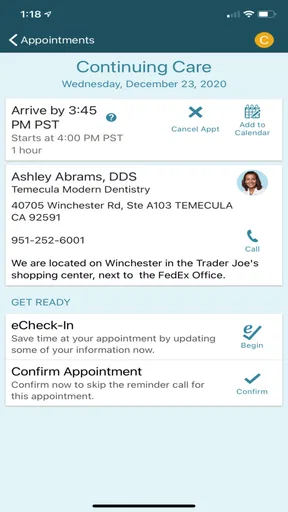
Imagine that I have an appointment coming up and cannot remember the exact time, the office details, or what information I may need to review beforehand. Instead of searching old messages, I can start with the patient app and look for the relevant record. If I have recently changed contact details or need to check a previous exchange, having a central place to begin is more convenient than calling immediately.
Another realistic situation is preparing for a conversation with the dental office. I might notice a question after a visit, want to revisit information connected with my care, or need to check what has already been communicated. The app does not eliminate the need for staff, but it can help me arrive at that conversation with a clearer understanding of my own records.
This is where the app feels more useful than a generic notes app. A note on my phone can store an appointment time, but it cannot serve as a patient-facing connection to care information. A calendar can remind me to attend, but it does not provide the same context. Smile Generation MyChart occupies the space between those tools and direct contact with the office.
Why the developer’s health focus matters
PDS Health Technologies is not presented here as a general-purpose app developer trying to cover every kind of personal organization. The product has a specific healthcare purpose, and that helps explain its restrained identity. I would rather use a focused app for patient information than one that mixes records with advertising-heavy wellness content, social features, or unrelated tracking.
That focus also means the app’s usefulness depends heavily on my relationship with the participating care system. If my dentist or healthcare provider does not use the relevant Smile Generation patient setup, the app is unlikely to become a central part of my routine. This is an important practical trade-off: the app can be valuable within its intended network, but it is not a universal health-record organizer for every provider I use.
Small workflow choices that make a difference
One helpful habit is to check the app before contacting the office about a routine question. I would first look for the information I need, then call or message only if the answer is not clear or if the matter requires professional guidance. This saves time without encouraging me to make medical decisions based on incomplete information.
A second useful habit is to review the app before an appointment rather than waiting until I am sitting in the waiting room. That gives me time to notice outdated personal details, collect questions, and identify anything I need to clarify. A patient portal is most effective when I use it as preparation, not just as a place to look after something has gone wrong.
A third insight is that digital access does not automatically equal complete understanding. Health information can be accurate and still need explanation. I would treat the app as a reference point and communication aid, not as permission to interpret clinical details on my own. That balance is particularly important when a record, message, or appointment detail seems confusing.
How it compares with ordinary alternatives
The usual alternative is a mixture of phone calls, email, paper documents, and a calendar. That approach can work, but it places more responsibility on me to maintain the system. I have to remember where each detail lives, search through old messages, and depend on office availability for questions that may be administrative rather than clinical.
A general health app may offer broader tracking, but broader is not always better. If I want exercise charts, nutrition logs, or medication reminders, another app may be more appropriate. Smile Generation MyChart is more relevant when the main problem is access to care-related information connected with a specific provider relationship.
Compared with calling the office, the app can be more convenient for checking routine details at a time that suits me. Compared with a personal spreadsheet, it is more closely tied to the healthcare experience. Compared with a broad medical portal, its advantage is its focused connection to Smile Generation care. The limitation in each comparison is the same: it works best when the information I need belongs inside that particular care network.
Where the experience can feel limited
The most meaningful weakness is not that the app has a narrow purpose; it is that a narrow purpose can make the app less useful outside a specific healthcare relationship. I may use several providers, and one patient app cannot automatically become a complete picture of my health. I still need to keep track of information from other offices through their own systems or through my own records.
There is also a difference between convenient access and instant resolution. If I have a question that needs interpretation, the app may help me organize it, but I may still need to contact a professional. Someone expecting every issue to be handled inside the app could find that frustrating. In my experience, the right expectation is administrative convenience and better access to information, not a virtual replacement for a dental team.
Another point to consider is that patient apps depend on accurate, current information and on me remembering how to access my account. Any login or account-recovery step can feel especially inconvenient when I am already trying to deal with a health concern. I would keep my sign-in details secure and avoid treating a shared or public device as a casual place to browse personal records.
The app’s age rating of Everyone makes sense for a patient-information tool, but that does not mean every situation is suitable for independent use by a child. A parent or guardian may still need to manage access, explain information, or handle communication with the provider. The rating describes general content suitability, not the complexity of making healthcare decisions.
Who will get the most from it
I would recommend Smile Generation MyChart most strongly to patients who regularly use Smile Generation services and want a simpler way to stay connected with their care information. It is also a sensible choice for people who dislike keeping appointment details in several places, or for those who often need to review information before contacting a dental office.
It can be particularly useful for a busy household. A person coordinating appointments and questions for a partner or family member may appreciate having a dedicated patient workflow instead of relying entirely on memory. The benefit is not dramatic in a single moment; it appears through repeated small conveniences, such as checking details before leaving home or preparing questions before a visit.
I would be more cautious about recommending it to someone who wants one app for every doctor, hospital, prescription, fitness goal, and symptom. That person may be better served by a broader health-record solution, where available, or by a combination of tools. I would also not choose this app as my primary option for urgent symptoms, emergency decisions, or medical interpretation. Those situations belong with qualified professionals and appropriate emergency services.
Practical expectations before installing
The app is free, which removes the most obvious barrier to trying it. Still, I would decide based on provider compatibility rather than price alone. The important question is whether the care information I need is connected to the Smile Generation environment. If it is, the download may reduce routine friction. If it is not, the app may have little practical value for me.
The current version is 11.5.2, and the listed minimum operating-system requirement is Android 9. That makes it relevant to people using relatively recent Android devices, while anyone with an older phone should check compatibility before planning around it. I would also keep the app updated when possible, especially for a tool that handles personal health information and depends on reliable account access.
Its release history reaches back to March 24, 2020, so this is not a brand-new experiment. It has had time to establish a presence in its category, reflected in more than one hundred thousand installs and an average rating of 4.2 from around five hundred ratings. Those figures suggest that many users find it useful, but they should not be mistaken for a guarantee that every clinic workflow or personal situation will feel equally smooth.
The review volume is also substantial, with over two hundred written reviews, which gives prospective users more real-world perspective than a product with only a handful of reactions. I would still read recent comments with care, because patient-app experiences can vary according to account setup, provider participation, device, and the specific task someone is trying to complete.
My final judgement
Smile Generation MyChart succeeds because it addresses a real, ordinary problem: health information is easier to manage when it has a dedicated place. I like its focused role, its free availability, and the way it can reduce unnecessary searching before an appointment or conversation with a provider. It is most convincing when used as a patient-access companion rather than as a medical advice engine.
Its boundaries are just as important as its strengths. It is tied to a particular care ecosystem, it cannot replace professional communication, and it should not be judged as a universal health-management platform. People who want broad tracking or a single record across unrelated providers may need a different solution.
My recommendation is straightforward: if your care is connected with Smile Generation and you want a more organized way to manage patient information, I think it is worth trying. If you are outside that network or expect diagnosis, emergency support, or all-in-one health tracking, I would skip it and choose a tool designed for that specific need. The best reason to use this app is not that it promises to do everything, but that it makes one important part of healthcare administration easier to handle.
Pros
- View test results
- visit summaries
- and medical records in one place.
- Request prescription refills without calling the clinic.
- Manage appointments and receive timely healthcare reminders.
- Secure messaging lets you contact participating care teams directly.
- Proxy access can help parents or caregivers manage another patient’s care.
Cons
- Features vary depending on your Smile Generation-affiliated provider.
- Some appointments may still require a phone call to schedule.
- Medical terminology and results can be difficult to interpret alone.
- Notifications may become overwhelming if several care options are enabled.
- A stable internet connection is needed for reliable access to records.
FAQs for Smile Generation MyChart
What is Smile Generation MyChart used for?
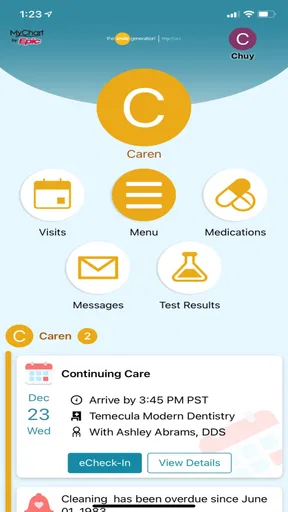
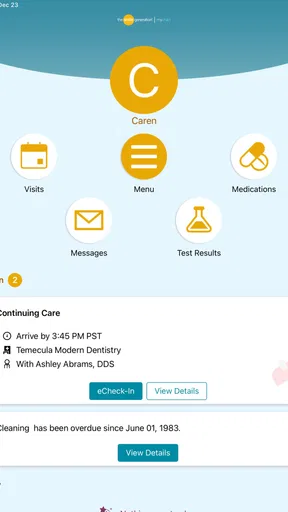
Smile Generation MyChart is a patient portal for managing dental care through participating Smile Generation practices. After signing in, you can typically review appointments, request or schedule visits, receive reminders, view treatment information, access certain documents, and communicate with the dental office. Available features may differ depending on the practice, your location, and whether your account has been fully activated.
How do I create an account or sign in to Smile Generation MyChart?
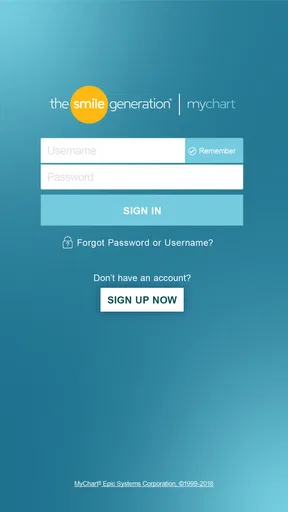
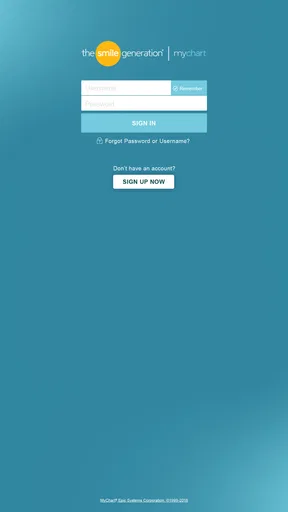
To use the app, you generally need an account connected to a participating Smile Generation dental office. Registration may require personal details, an activation code, or information that allows the practice to match you with your patient record. If you cannot sign in, forget your password, or do not receive an activation message, use the recovery options first and contact your dental office if the problem continues.
Can I schedule, cancel, or change a dental appointment in the app?
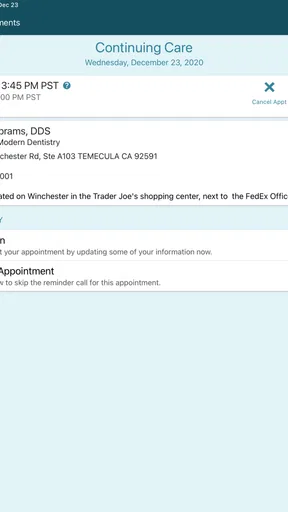
The app may allow you to request or manage appointments, but the exact options depend on the dental practice and the type of visit. Some appointments can be booked directly, while others require confirmation from office staff. Cancellation and rescheduling policies still apply, so changing an appointment in the app does not necessarily remove fees or guarantee an immediate replacement time.
Can Smile Generation MyChart be used for emergencies or urgent dental problems?
Smile Generation MyChart should not be treated as an emergency service. Messages and appointment requests may not be reviewed immediately, particularly outside office hours. For severe pain, uncontrolled bleeding, facial swelling, difficulty breathing or swallowing, or another potentially serious condition, contact a dental professional or emergency service without waiting for an in-app response. Use the portal for routine communication and care management.
Is my health information secure when using Smile Generation MyChart?
The app is designed to provide secure access to your dental information through account authentication and standard privacy protections. You should still protect your login details, use a strong password, enable available device security, and avoid accessing the account on shared or public devices. Keep the application updated and log out when appropriate. Privacy practices and available security features may vary by platform and provider.


